The differences between the new and the old editor
On this page you can find a guide that walks you through the transition from the old to the new brand editor. By brand editor we mean the tool that allows you to change the appearance of pages.
With the activation of the new editor, this will be immediately available for the pages:
- Post-subscription page
- Post-profiling page
- One-click unsubscribe
- Confirmed unsubscribe
- Unsubscribe with list preferences
- Unsubscribe with options
⚠️ If you have customized one or more of these pages, with the switch to the new editor, the HTML and CSS you entered in the past are no longer valid. Instead, you will find the custom messages and redirect to landing pages established before the transition. Below is a guide to walk you through making the changes in the new editor and some tips.
⚠️ If you have changed the settings in the previous Look & Feel section, these will no longer take effect, but you can replicate the changes with the new section Look & Feel without writing a line of HTML or CSS code. Look at how to replicate the changes
Post-subscription page: find out the differences
The post-subscription page is what all new recipients land on when:
- they fill out a subscription form
- following the click on the email to confirm the intention to enroll.
✨ NEW BRAND EDITOR ✨ OLD BRAND EDITOR 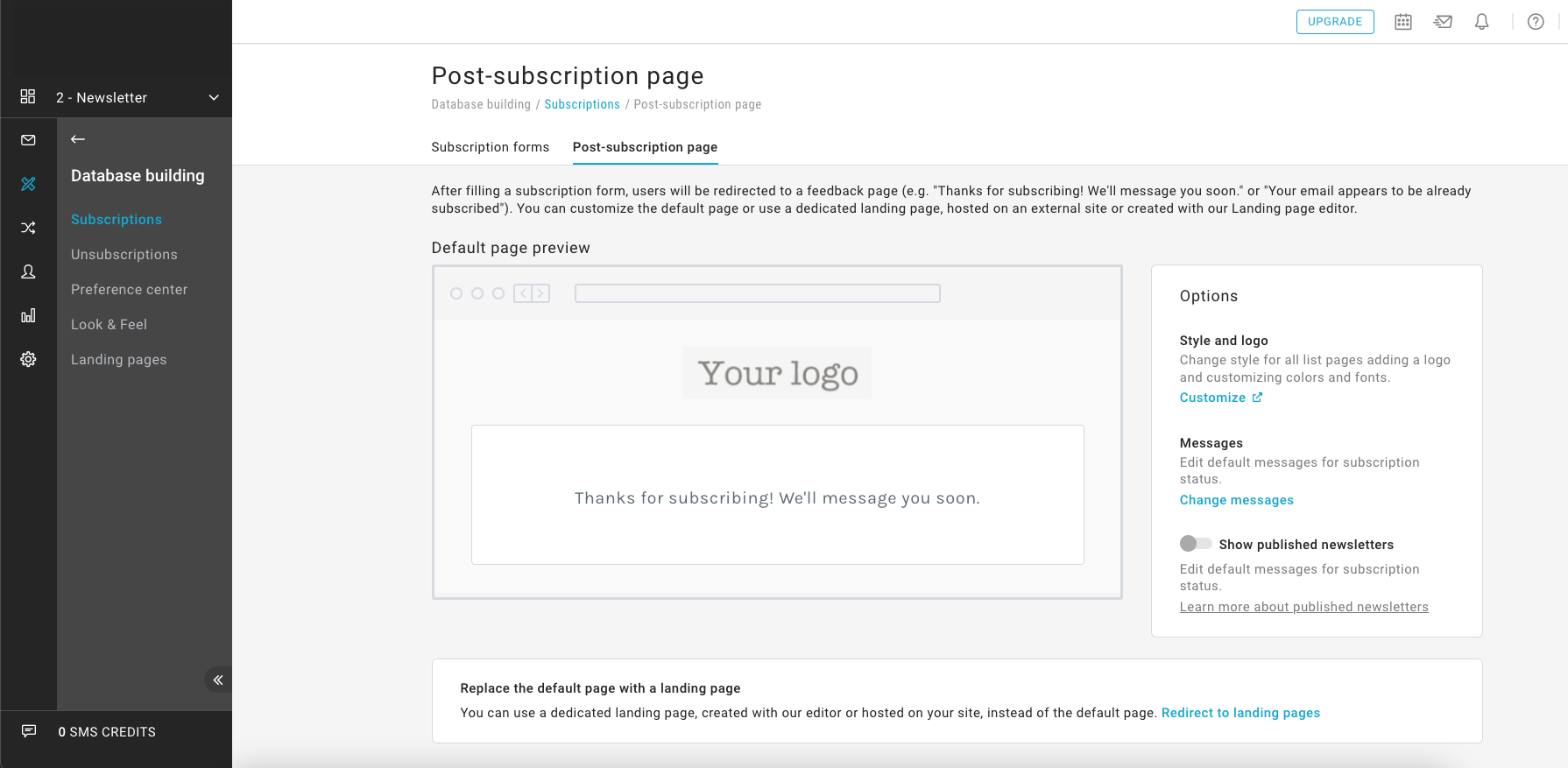
New features introduced:
- Simplified editing interface
- Removed the ability to write HTML or CSS code
- Simplified editing to define graphical appearance
- Revamped default style
Want to customize this page to fit your brand?
Click on Customize in the sidebar on the right so you can access the Look & Feel section. On this page you can:
- Add logo. Drag your logo (files in .jpeg, .jpg, .png or .gif format) to the Logo section.
- Change colors. In the Colors section, fill in the fields for Paragraphs, Background, Buttons, Social Icons.
- Change the style of texts. In the Texts section, use the Title and Paragraphs fields.
Upon saving, the changes are applied to the pages: post-subscription, post-profiling, unsubscription, subscription and profiling forms with "Custom" style, for the current list. You can also apply these changes to all lists in your platform with the "Apply to all lists" button.
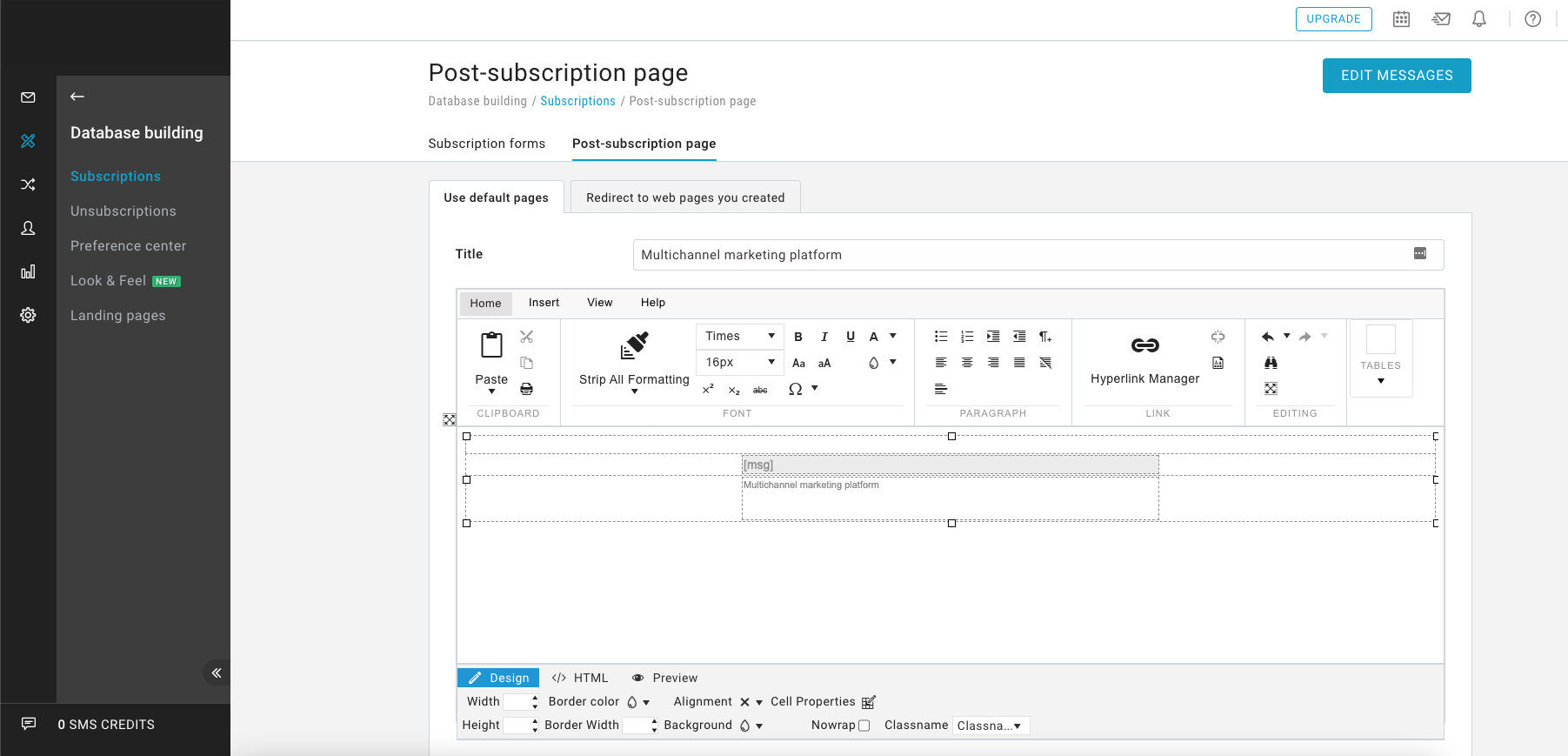
Did you edit the HTML or CSS on this page or in the legacy section Look & Feel?
After switching to the new editor, changes are to be reported using the new editor.
← Follow the instructions on the side to apply them.
Did you edit the messages or redirects?
These changes will be maintained with the transition.
Post-profiling page: find out the differences
✨ NEW BRAND EDITOR ✨ OLD BRAND EDITOR 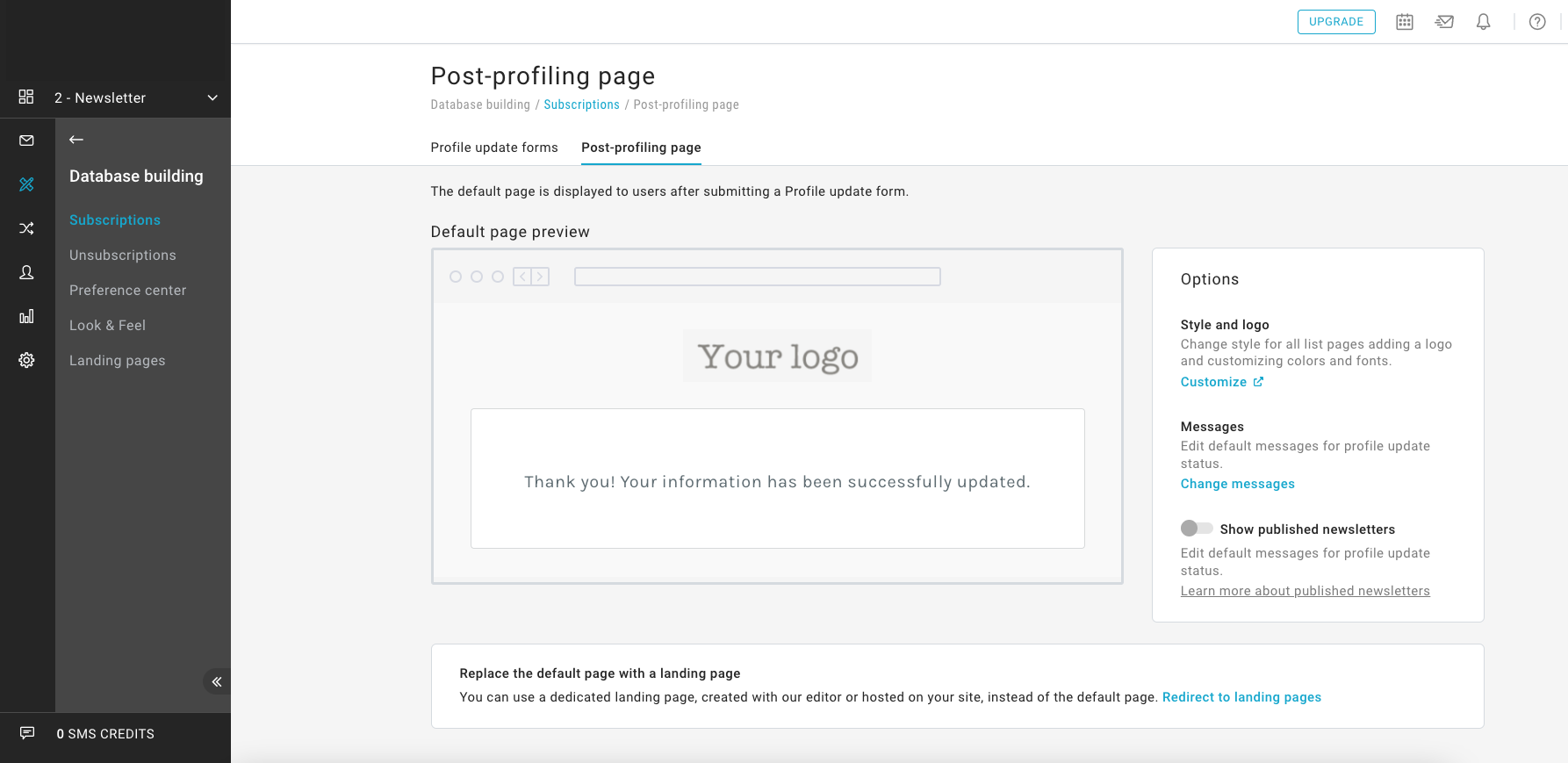
New features introduced:
- Simplified editing interface
- Removed the ability to write HTML or CSS code
- Simplified editing to define graphical appearance
- Revamped default style
Want to customize this page to fit your brand?
Click on Customize in the sidebar on the right so you can access the Look & Feel section. On this page you can:
- Add logo. Drag your logo (files in .jpeg, .jpg, .png or .gif format) to the Logo section.
- Change colors. In the Colors section, fill in the fields for Paragraphs, Background, Buttons, Social Icons.
- Change the style of texts. In the Texts section, use the Title and Paragraphs fields.
Upon saving, the changes are applied to the pages: post-subscription, post-profiling, unsubscription, subscription and profiling forms with "Custom" style, for the current list. You can also apply these changes to all lists in your platform with the "Apply to all lists" button.
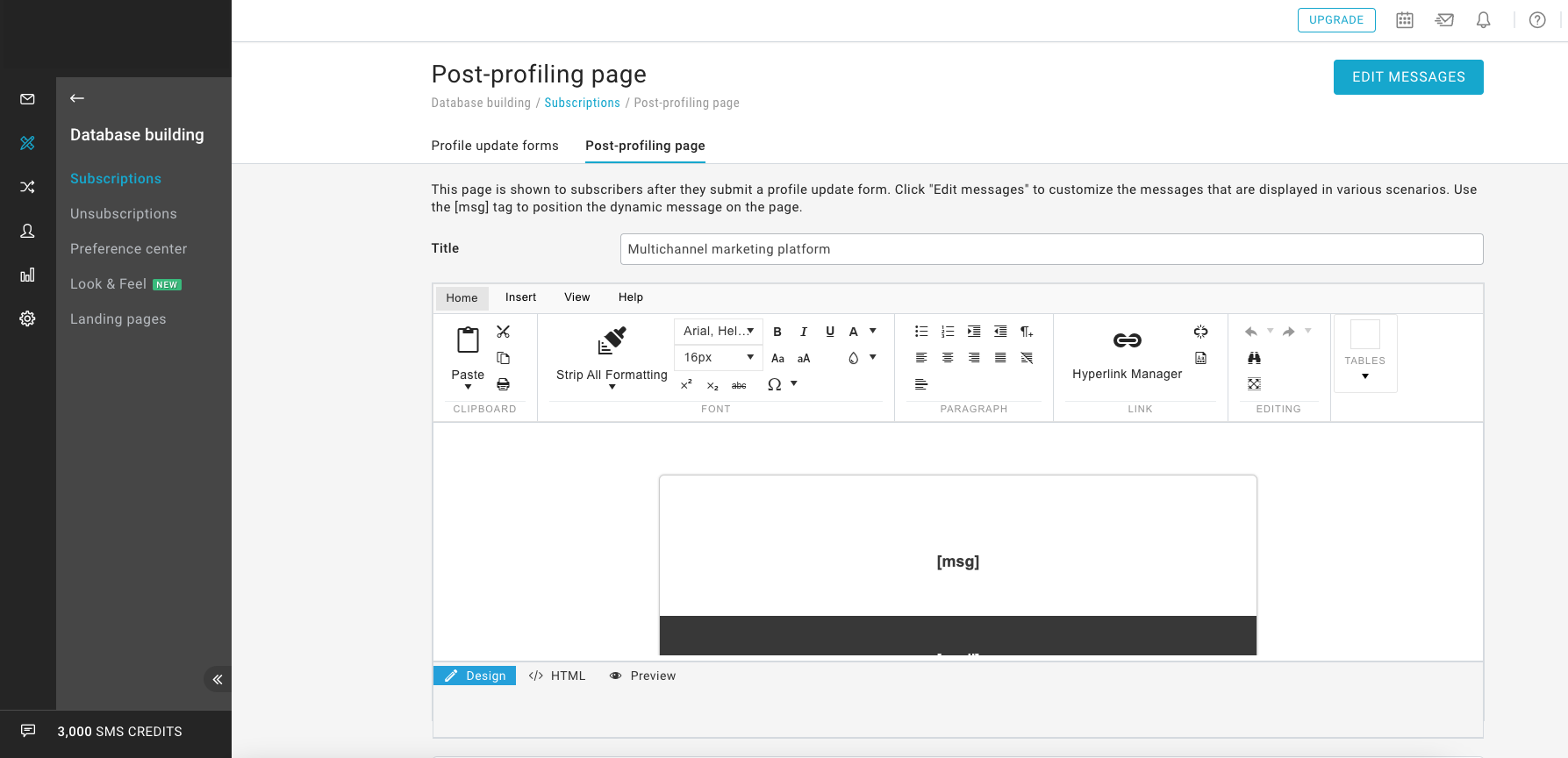
Did you edit the HTML or CSS on this page or in the legacy section Look & Feel?
After switching to the new editor, changes are to be reported using the new editor.
← Follow the instructions on the side to apply them.
Did you edit the messages or redirects?
These changes will be maintained with the transition.
One-click unsubscribe page: find out the differences
✨ NEW BRAND EDITOR ✨ OLD BRAND EDITOR 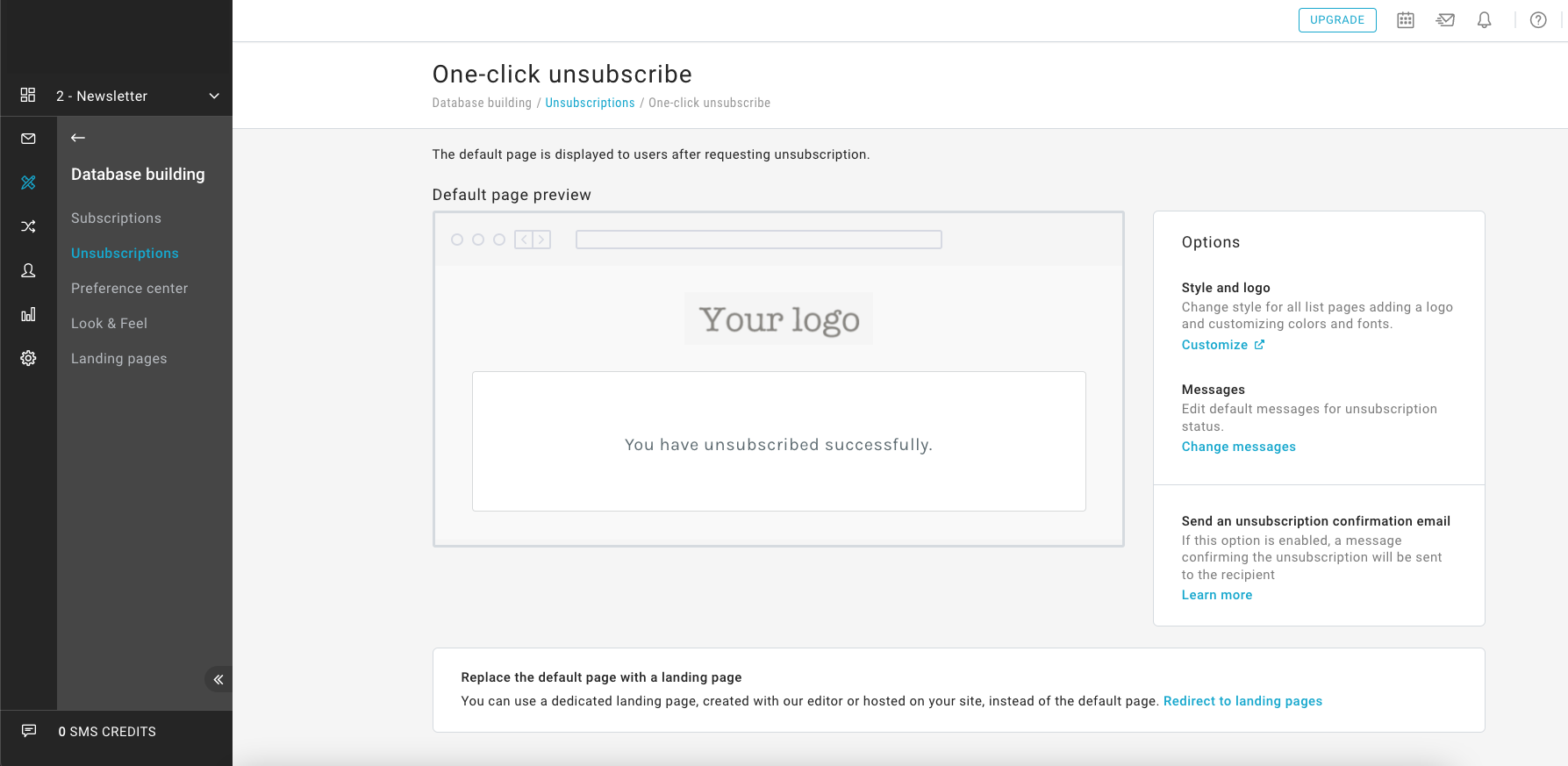
New features introduced:
- Simplified editing interface
- Removed the ability to write HTML or CSS code
- Simplified editing to define graphical appearance
- Revamped default style
Want to customize this page to fit your brand?
Click on Customize in the sidebar on the right so you can access the Look & Feel section. On this page you can:
- Add logo. Drag your logo (files in .jpeg, .jpg, .png or .gif format) to the Logo section.
- Change colors. In the Colors section, fill in the fields for Paragraphs, Background, Buttons, Social Icons.
- Change the style of texts. In the Texts section, use the Title and Paragraphs fields.
Upon saving, the changes are applied to the pages: post-subscription, post-profiling, unsubscription, subscription and profiling forms with "Custom" style, for the current list. You can also apply these changes to all lists in your platform with the "Apply to all lists" button.
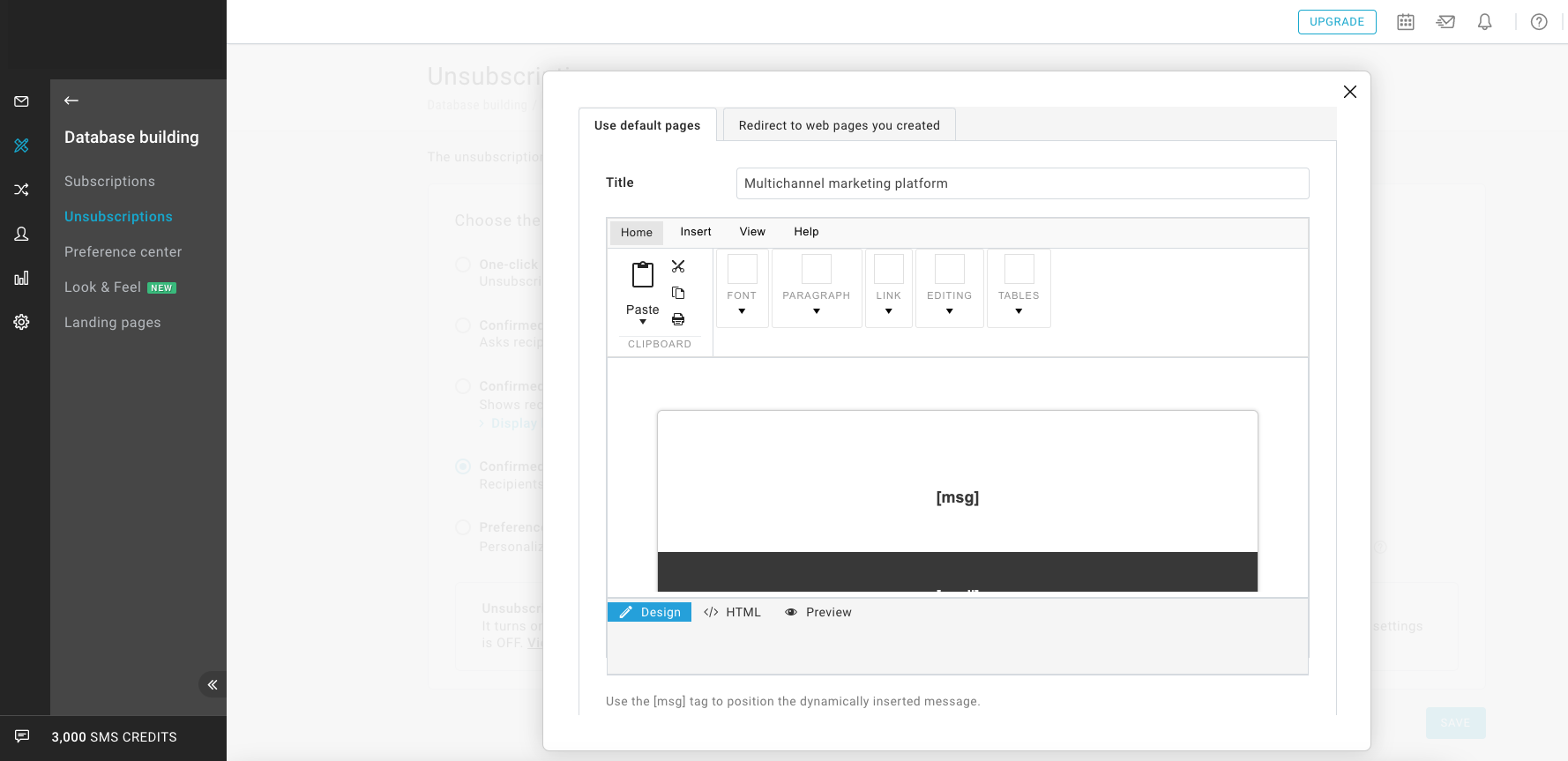
Did you edit the HTML or CSS on this page or in the legacy section Look & Feel?
After switching to the new editor, changes are to be reported using the new editor.
← Follow the instructions on the side to apply them.
Did you edit the messages or redirects?
These changes will be maintained with the transition.
Confirmed unsubscribe page: find out the differences
✨ NEW BRAND EDITOR ✨ OLD BRAND EDITOR 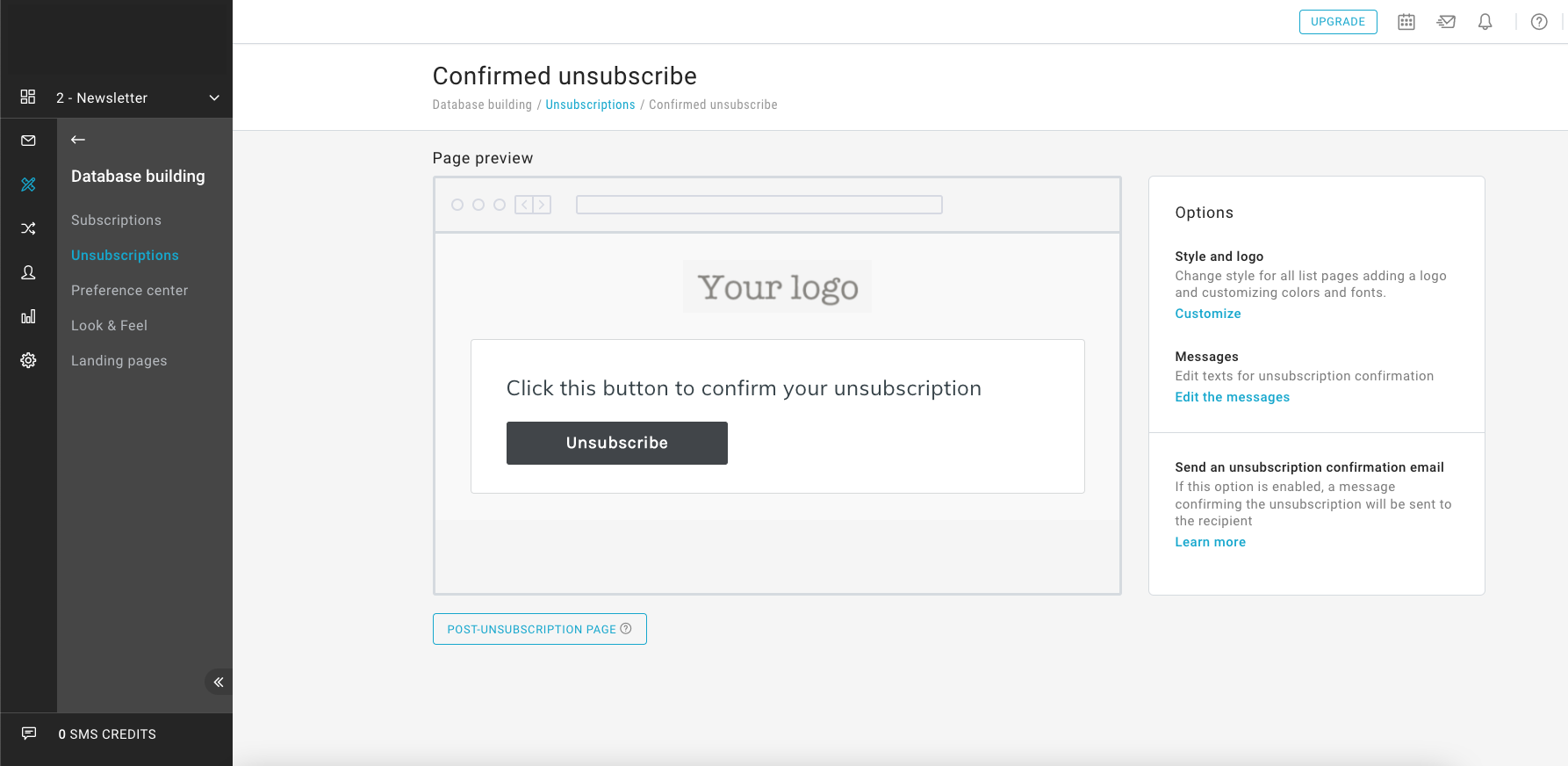
New features introduced:
- Simplified editing interface
- Removed the ability to write HTML or CSS code
- Simplified editing to define graphical appearance
- Revamped default style
Want to customize this page to fit your brand?
Click on Customize in the sidebar on the right so you can access the Look & Feel section. On this page you can:
- Add logo. Drag your logo (files in .jpeg, .jpg, .png or .gif format) to the Logo section.
- Change colors. In the Colors section, fill in the fields for Paragraphs, Background, Buttons, Social Icons.
- Change the style of texts. In the Texts section, use the Title and Paragraphs fields.
Upon saving, the changes are applied to the pages: post-subscription, post-profiling, unsubscription, subscription and profiling forms with "Custom" style, for the current list. You can also apply these changes to all lists in your platform with the "Apply to all lists" button.
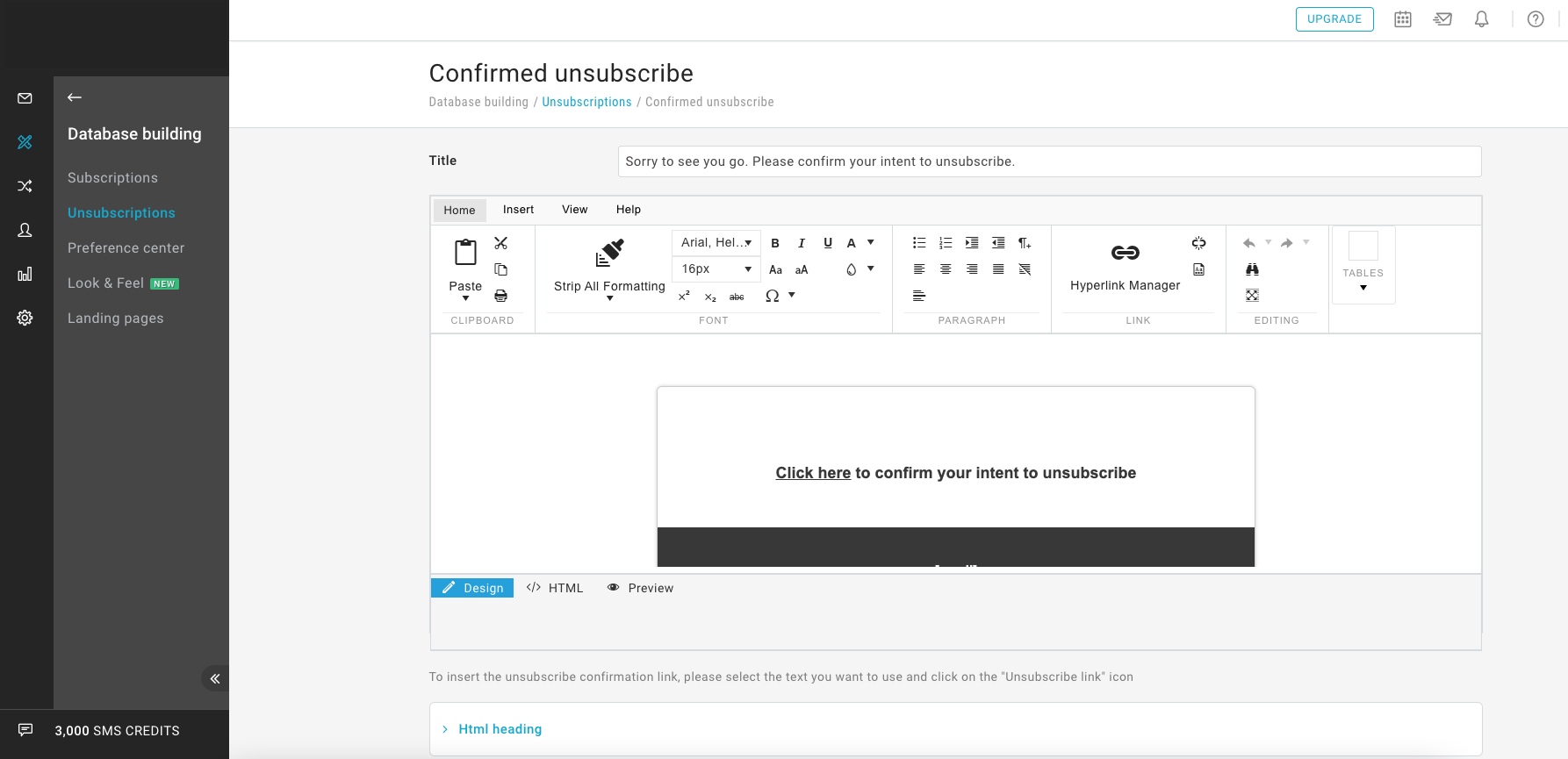
Did you edit the HTML or CSS on this page or in the legacy section Look & Feel?
After switching to the new editor, changes are to be reported using the new editor.
← Follow the instructions on the side to apply them.
Did you edit the messages or redirects?
These changes will be maintained with the transition.
Unsubscribe with list preferences page: find out the differences
✨ NEW BRAND EDITOR ✨ OLD BRAND EDITOR 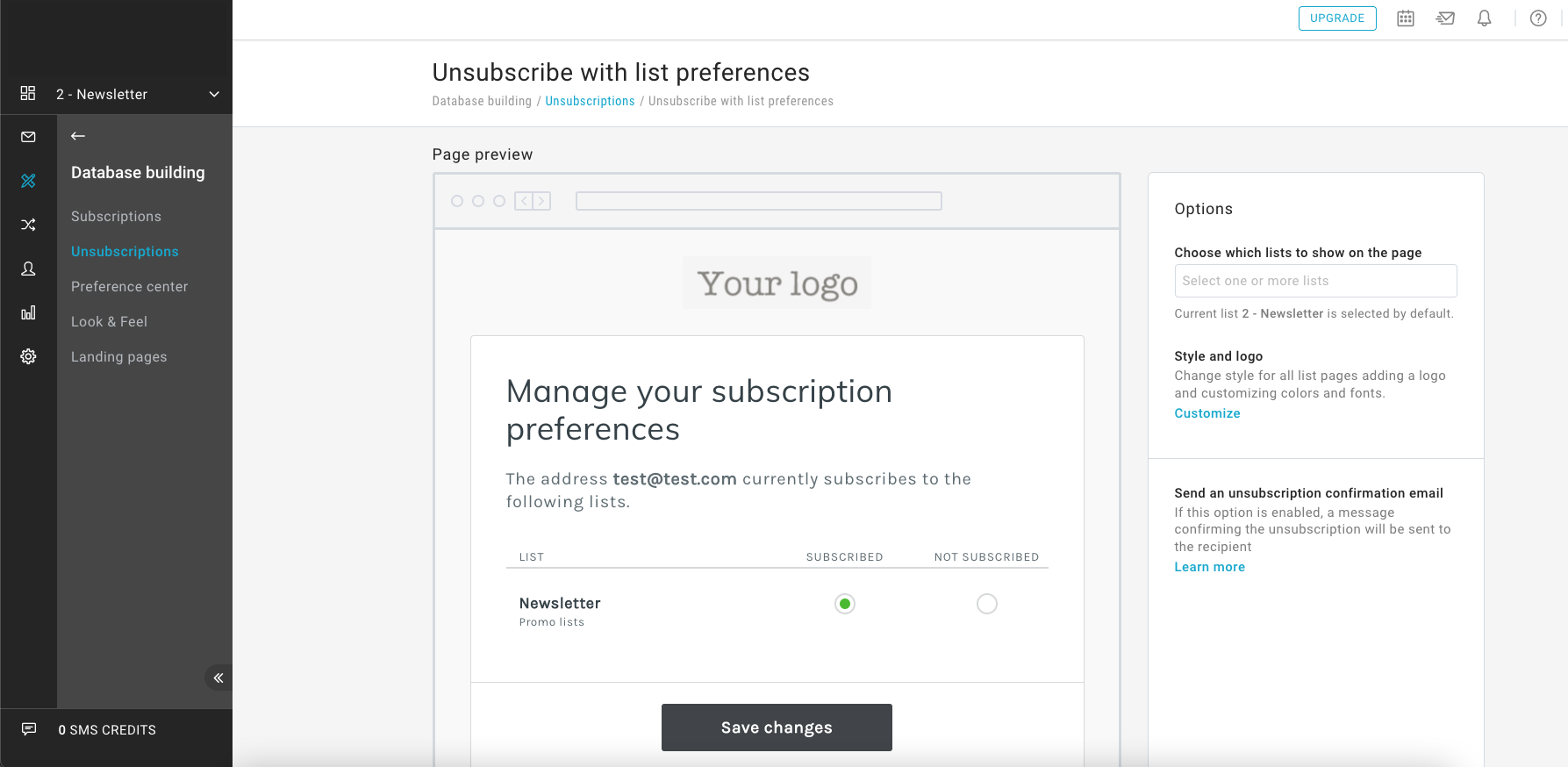
New features introduced:
- Simplified editing interface
- Simplified editing to define graphical appearance
- Revamped default style
Want to customize this page to fit your brand?
Click on Customize in the sidebar on the right so you can access the Look & Feel section. On this page you can:
- Add logo. Drag your logo (files in .jpeg, .jpg, .png or .gif format) to the Logo section.
- Change colors. In the Colors section, fill in the fields for Paragraphs, Background, Buttons, Social Icons.
- Change the style of texts. In the Texts section, use the Title and Paragraphs fields.
Upon saving, the changes are applied to the pages: post-subscription, post-profiling, unsubscription, subscription and profiling forms with "Custom" style, for the current list. You can also apply these changes to all lists in your platform with the "Apply to all lists" button.
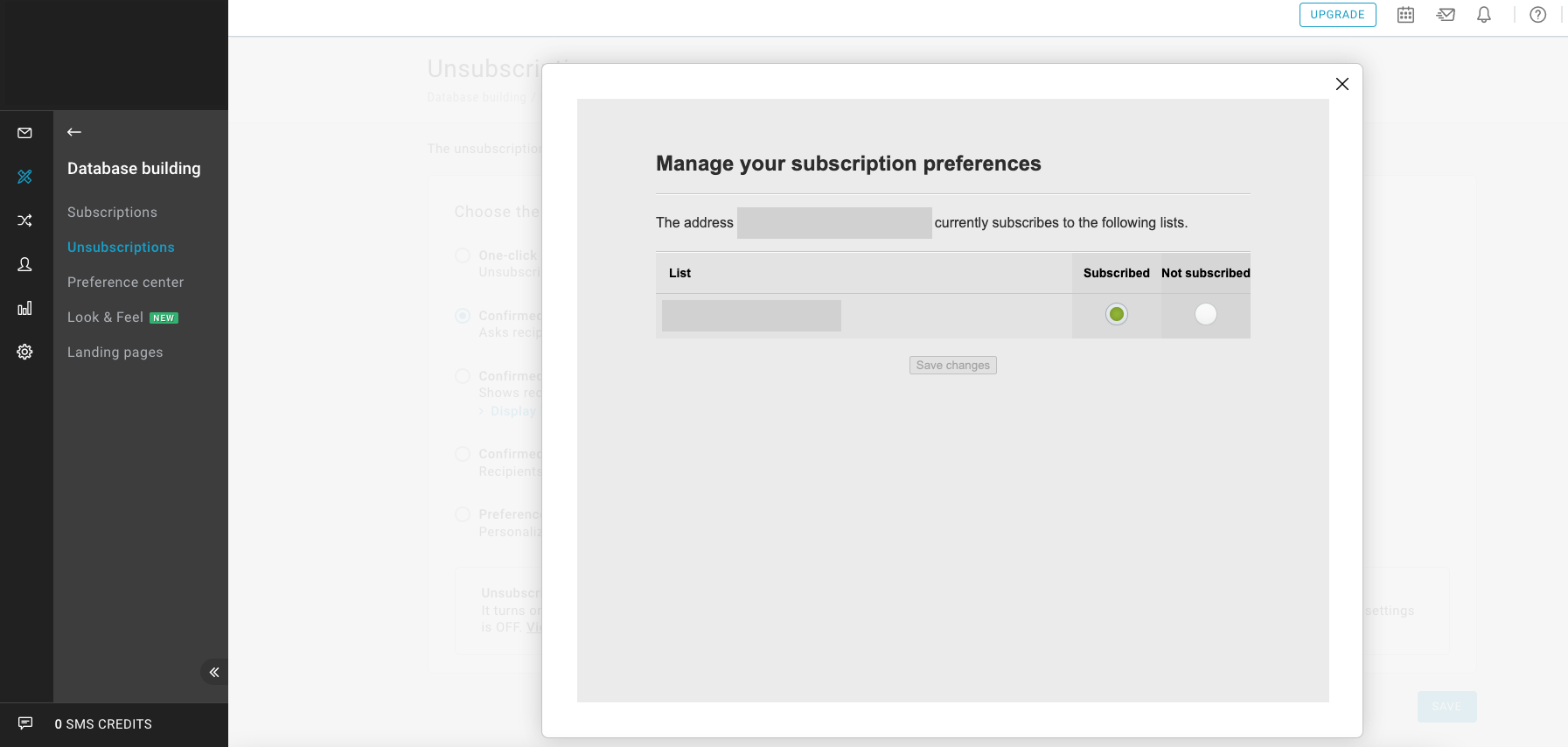
Did you edit the HTML or CSS on this page or in the legacy section Look & Feel?
After switching to the new editor, changes are to be reported using the new editor.
← Follow the instructions on the side to apply them.
Did you edit the messages or redirects?
These changes will be maintained with the transition.
Unsubscribe with options page: find out the differences
✨ NEW BRAND EDITOR ✨ OLD BRAND EDITOR 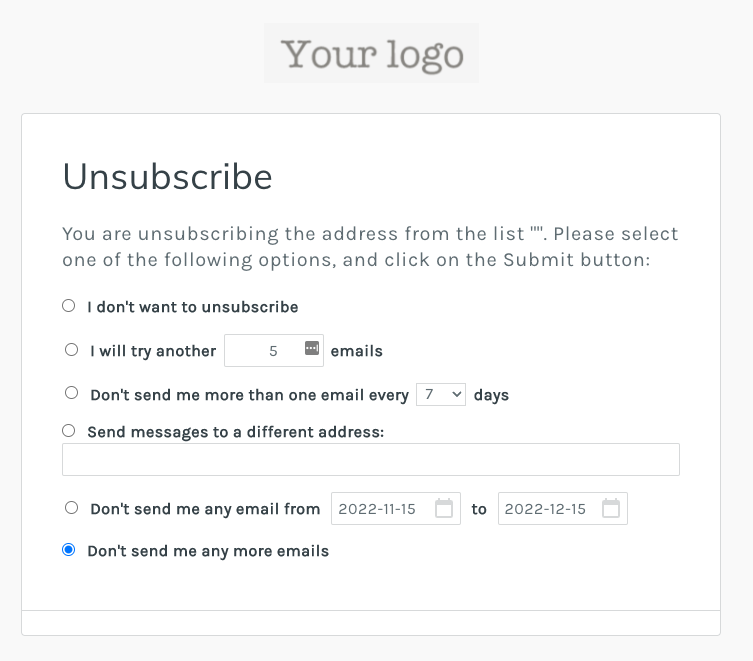
New features introduced:
- Simplified editing to define graphical appearance
- Revamped default style
Want to customize this page to fit your brand?
Click on Customize in the sidebar on the right so you can access the Look & Feel section. On this page you can:
- Add logo. Drag your logo (files in .jpeg, .jpg, .png or .gif format) to the Logo section.
- Change colors. In the Colors section, fill in the fields for Paragraphs, Background, Buttons, Social Icons.
- Change the style of texts. In the Texts section, use the Title and Paragraphs fields.
Upon saving, the changes are applied to the pages: post-subscription, post-profiling, unsubscription, subscription and profiling forms with "Custom" style, for the current list. You can also apply these changes to all lists in your platform with the "Apply to all lists" button.
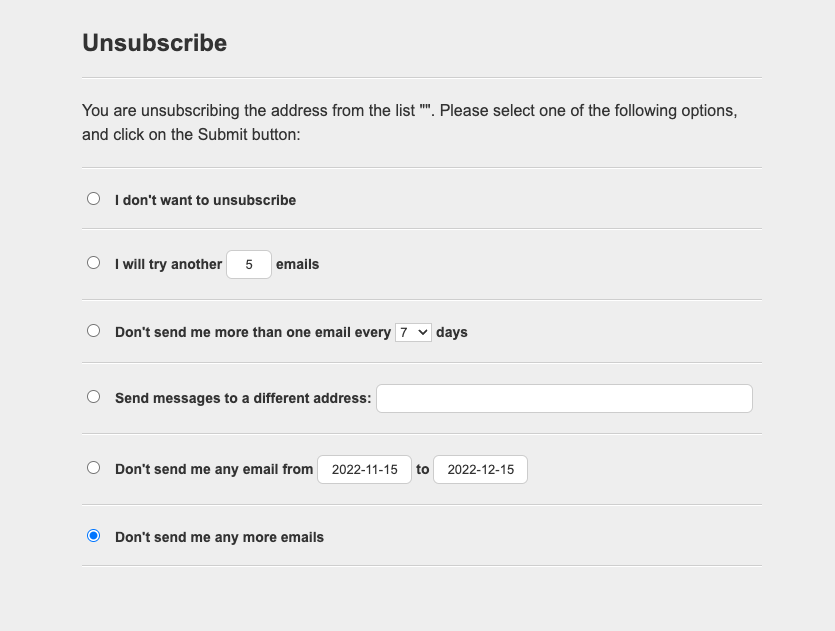
Did you edit the HTML or CSS on this page or in the legacy section Look & Feel?
After switching to the new editor, changes are to be reported using the new editor.
← Follow the instructions on the side to apply them.
Did you edit the messages or redirects?
These changes will be maintained with the transition.
Look & Feel: find out the differences
✨ NEW BRAND EDITOR ✨ OLD BRAND EDITOR 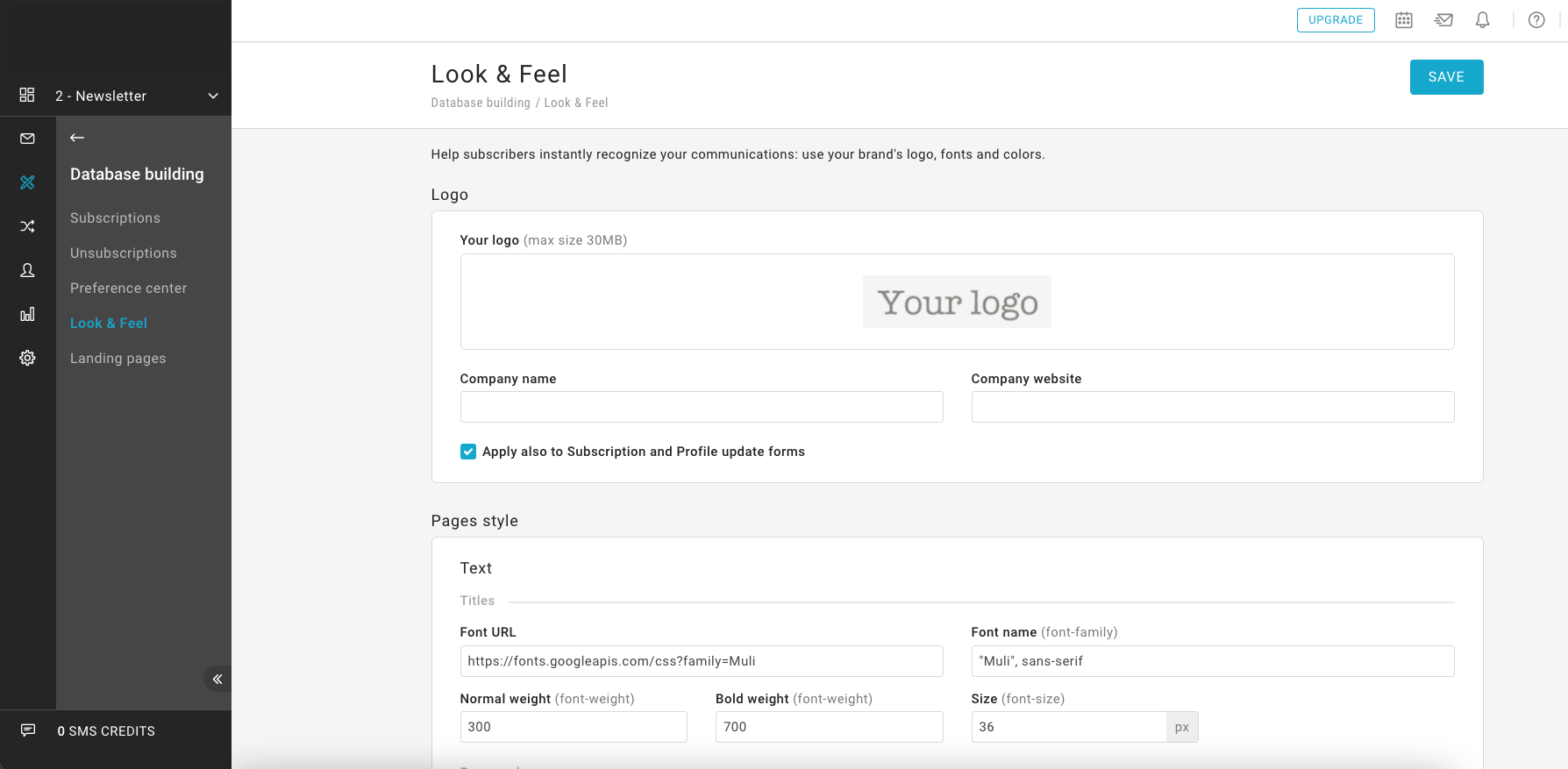
New features introduced:
- Styling is no longer unique for the entire platform, but customizable on a per-list basis
- Modifications are centralized: it is on this one page that you define the style of all your pages and forms (using the checkbox "Apply also to Subscription and Profile update forms")
- Changes to define the graphic appearance are simplified
- If you do not change anything, the default style that has been revamped will be applied
- The HTML of the pages is no longer editable, but you can change the response messages.
Want to apply your brand style to all pages?
Just follow these simple steps:
- Add Logo. Drag your logo (files in .jpeg, .jpg, .png, or .gif format) to the Logo section.
- Change Colors. In the Colors section, fill in the fields for Paragraphs, Background, Buttons, Social Icons.
- Change the style of texts. In the Texts section, use the Title and Paragraphs fields.
Upon saving, the changes are applied to the pages: post-subscription, post-profiling, unsubscription, subscription and profiling forms with "Custom" style, for the current list. You can also apply these changes to all lists in your platform with the "Apply to all lists" button.
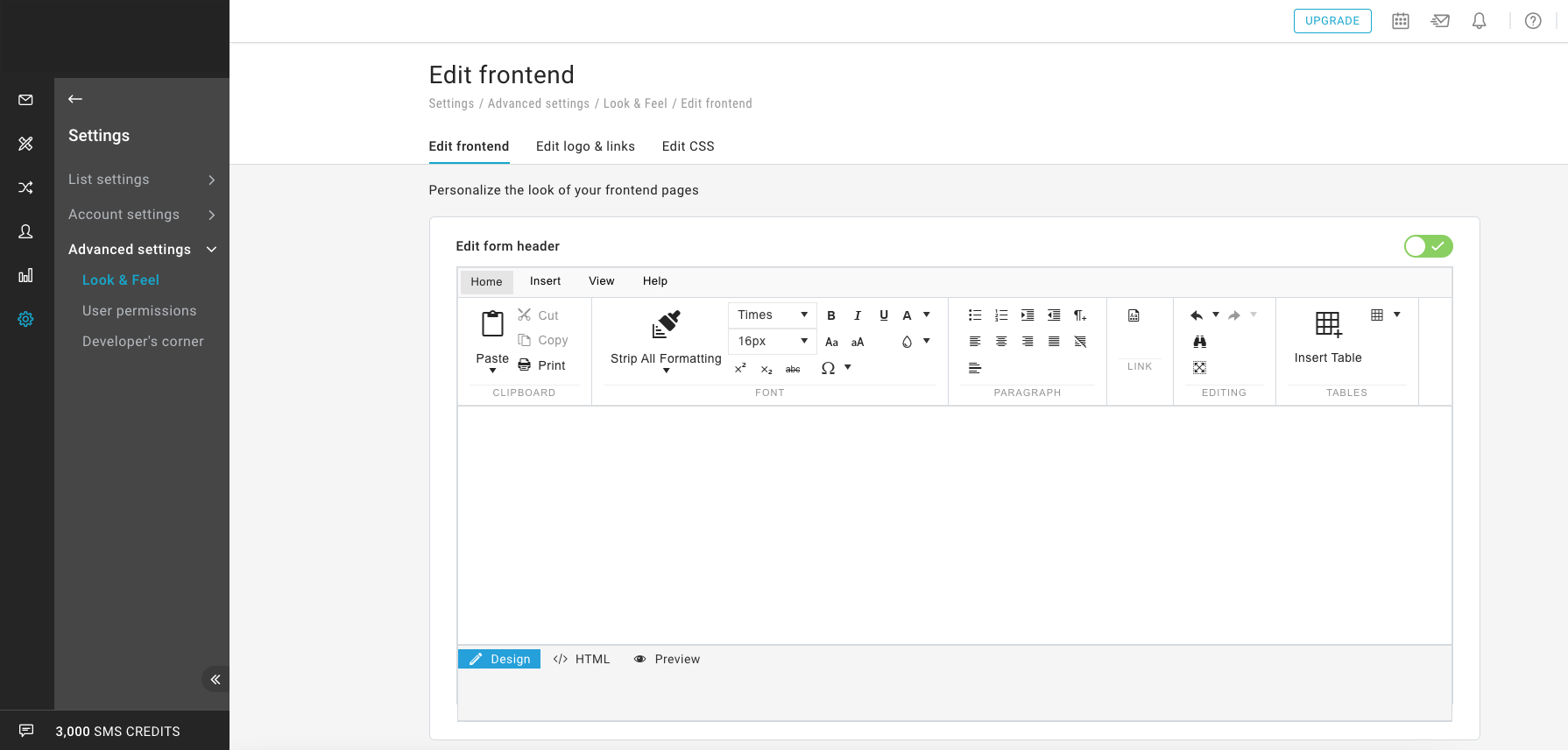
Did you customize the header?
After switching to the new editor, changes are to be reported using the new editor. Only the logo can be inserted in the header.
← Follow the instructions opposite to proceed.
Did you customize the footer?
After switching to the new editor, the changes will no longer take effect and it will not be possible to add HTML to the footer of all pages.
Have you modified the CSS?
After switching to the new editor, changes are to be reported using the new editor. Changes to styles are guided with a simplified interface.
← Follow the instructions opposite to proceed.