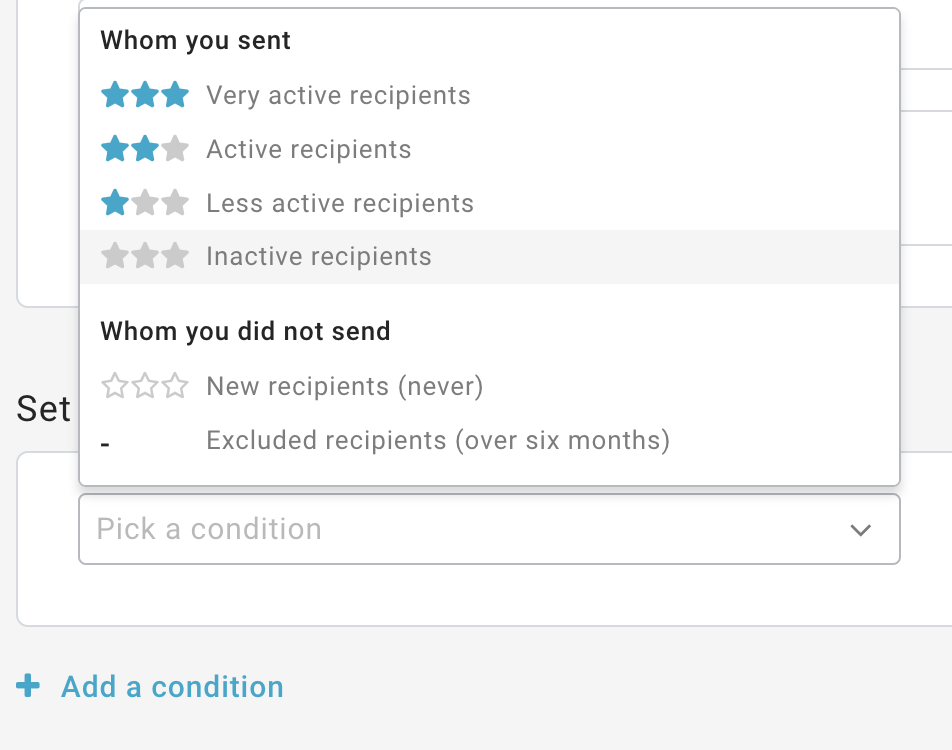
Engagement filters
The Engagement filter category, available only for accounts who have access to the Engagement report, allows you to segment recipients based on their engagement level. For example, you may create an "inactive customers" filter, and then send an email with a promo code to awaken the interest of your customers.
Let's see in detail the conditions you can use and what they mean:
Label | Description |
|---|---|
| Active | The recipient has shown an average degree of engagement, it is a contact who often takes actions on the campaigns he receives |
| Excluded | The number of campaigns in the last period is insufficient for a valid statistical calculation |
| Inactive | The recipient has shown an extremely low degree of engagement, it is a contact that does not interact with the campaigns he receives |
| Less active | The recipient has shown a low degree of engagement, it is a contact who rarely interacts with the campaigns he receives |
| New | There is still no information on the rating because it is the first time they are reached by a sending |
| Very active | The recipient has demonstrated a high degree of engagement, it is a contact who carries out activities consistently on campaigns |
To create a new filter, you have to define one or more conditions that should occur when the filter is applied.